Learn how to communicate directly with your event attendees using the messaging feature on ShowRave Events. Follow these steps:
- Log in to Your Organizer's Dashboard:
- Access your ShowRave Events account and navigate to yourorganizer's dashboard.
- Navigate to "My Events":
- Click the "My Events" button located at the top left corner of your dashboard. If you're on a PC, locate it within the menu options.
- Select the Event:
- Find the specific event you want to message attendees for.
- Click the settings button located at the top right of the event artwork.
- View Attendees:
- In the dropdown menu, select "View Attendees."
- Send a Message:
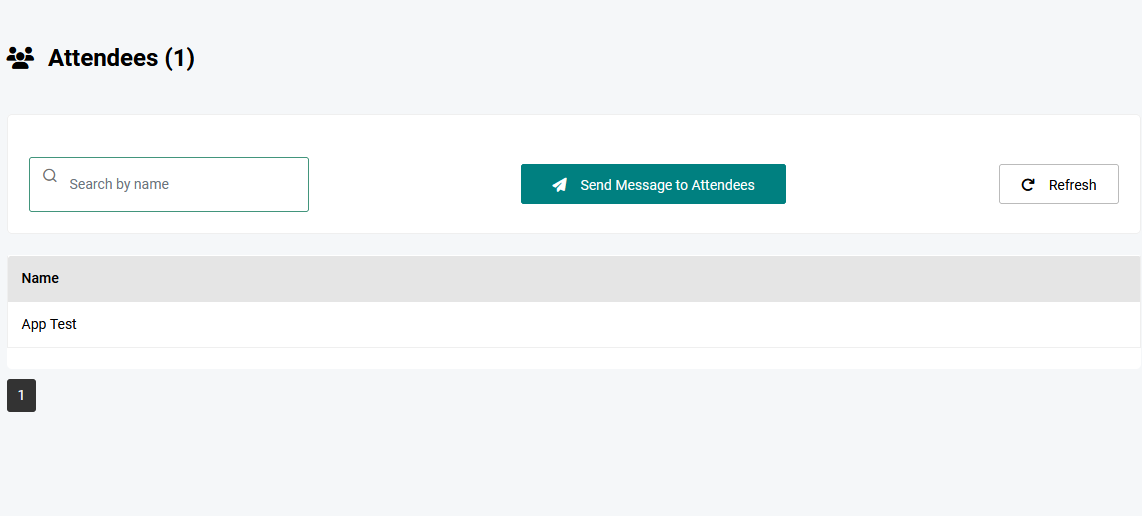
- On the attendees page, click the "Send Message to Attendees" button.
- A pop-up window will appear where you can enter your message's subject and body.
- Send Your Message:
- After composing your message, click "Send Message."
- Your message will be successfully delivered to your attendees via email.
By following these steps, you can efficiently communicate important information directly to your event attendees on ShowRave Events.